
Cloudflare Worker Observability
As shown in 2026-09-15 Implementing Guestbooks, Guestbook entries are working! In this post I am going to focus on the pipeline from website -> Cloudflare Worker and explore the User Interface of the Cloudflare Worker User Interface.
Cloudflare is doing an important job: creating the HTML page for the mention (as the SOURCE URL) and then providing that SOURCE URL and the TARGET URL to the Webmention.io API.
Take this example mention:
File `screenshot-website-community-form.png` not found
We can find that interaction on CloudFlare:
File `screenshot-cloudflare-worker-community-bridge.png` not found
community-bridge > Observability > Traces shows a great visualisation of each operation
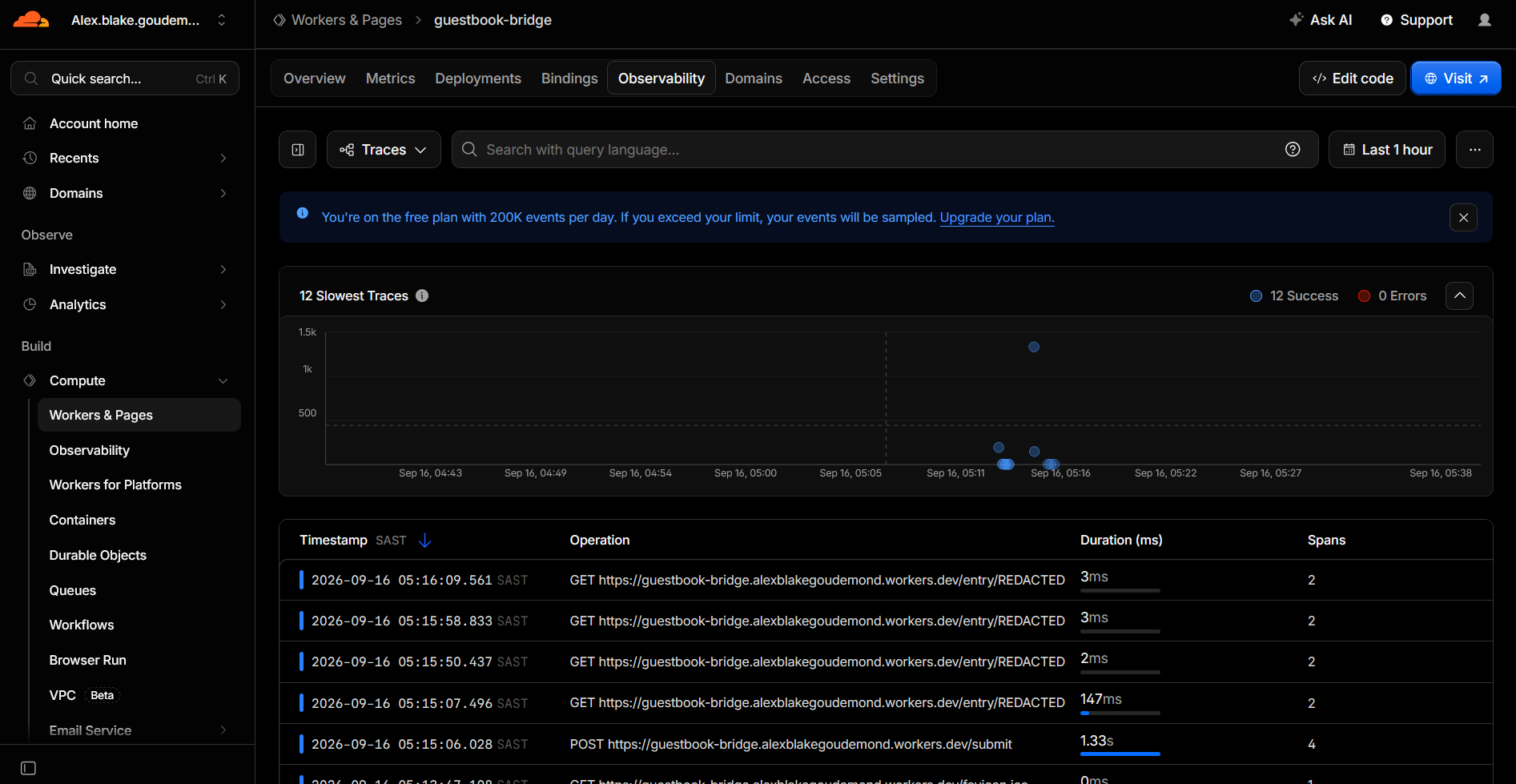
Clicking on that POST Trace:
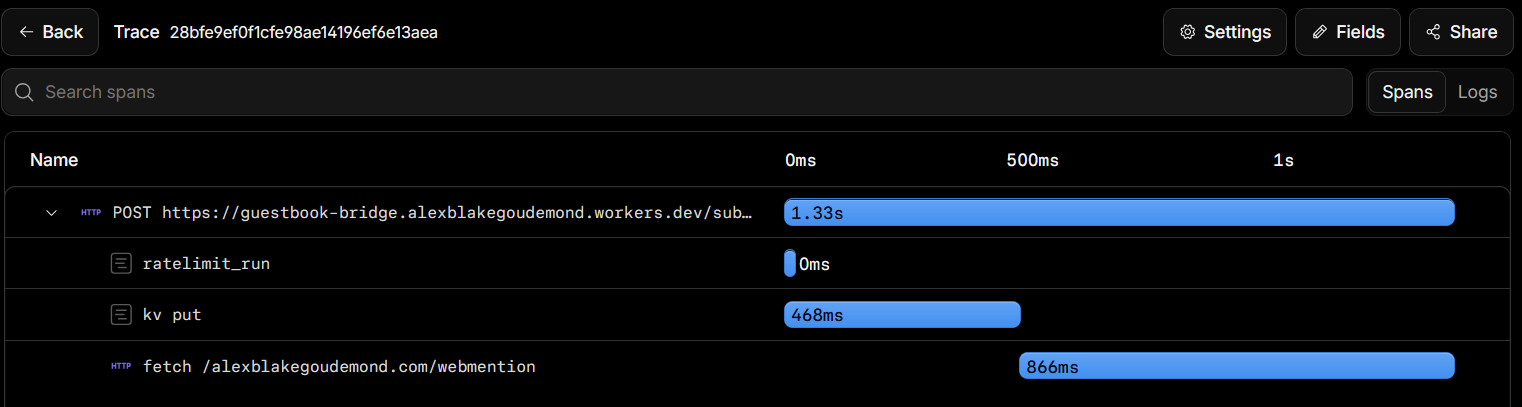
In that figure, we see how much time was spent to achieve each nested unit of work - making up the full request time at the top. The top time of 1.33s can also be represented by adding up all the subtasks’ times (0ms + 468ms + 866ms)
In that figure, kv represents the Key-Value map of (RandomID, HTML). It took 468ms to place the generated HTML into the map
Also in that figure, the interaction with the Webmention.io API took 866ms
We can look inside the kv put unit of work and identify the entry:
cloudflare.kv.query.keys="3c1b9867-ea00-4109-a5db-d0289bd0d5a2"
… and because we know that the Cloudflare Worker uses that random UUID as the map key - we can search for that in webmention.io!
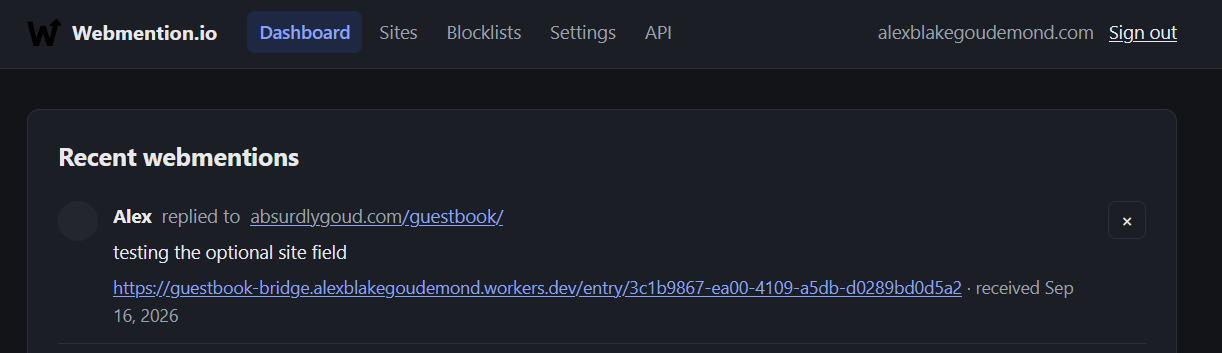

Cloudflare Workers omit the payloads by design.
This is done for privacy, security, and PII protection (e.g., preventing sensitive user input, tokens, or personal messages from being stored unredacted in logging systems)